The models ship with the phone
Vision, on-device speech and an on-device language model are part of the operating system now. The crew already carries the hardware that runs them, and replaces it on a cycle.
Couchbase Lite · Vector Search · App Services · Capella
Works where the signal doesn’t.
A database, a vector index and five AI models, on the phone. The report is captured, checked for duplicates, and hashed with the radio off, then synced to Capella when the signal comes back.
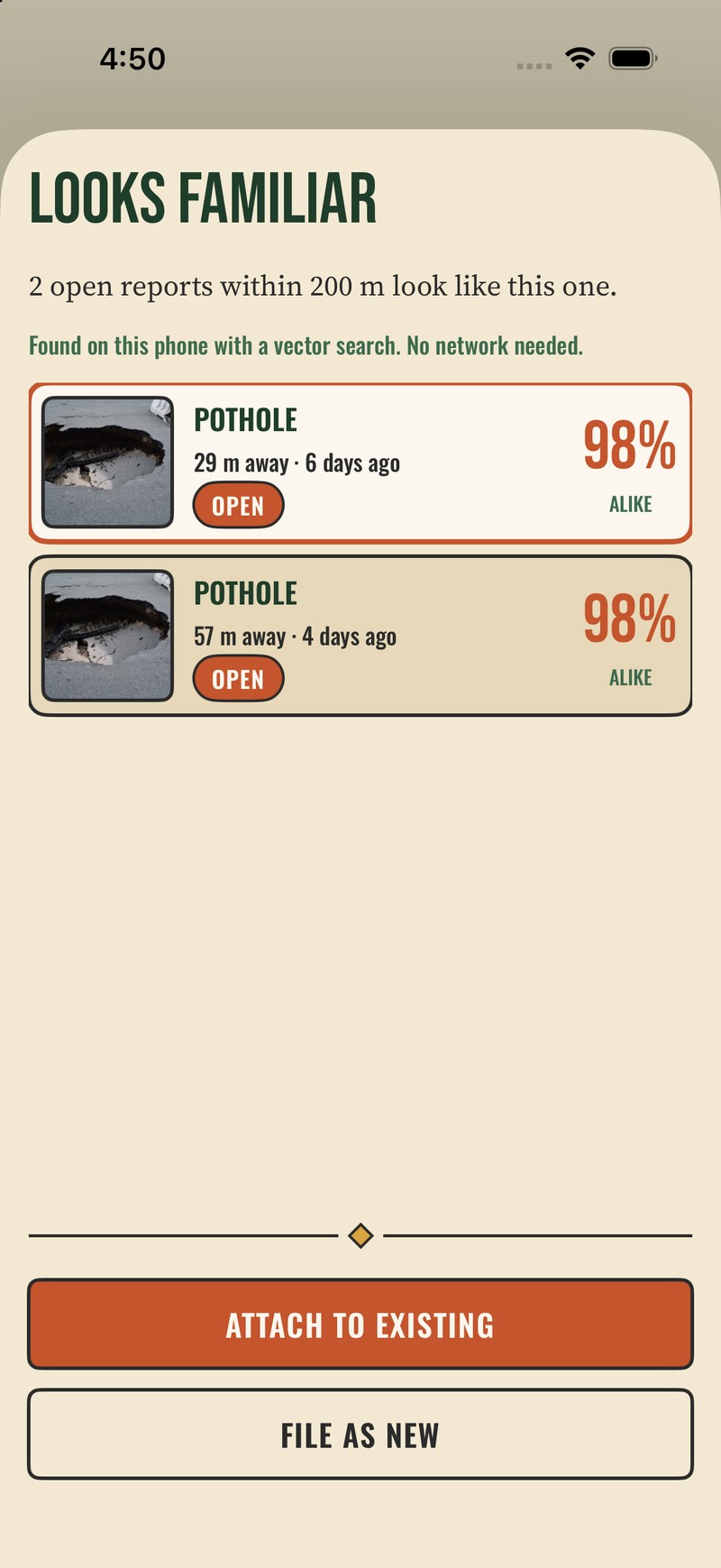
The phone is not a thin client.
It holds a database, an index and the models. It answers a similarity question in a canyon.
Offline first
Airplane mode, and the app is not degraded. It is home. The list, the photographs, the filters and the search all come out of Couchbase Lite: collections, indexes, SQL++ and transactions, on the device.
Every capture is one batch. The report, the photo and the parent update land together or not at all, even on a dying battery.
evidence.reports on the phone is evidence.reports in Capella. Nothing is translated.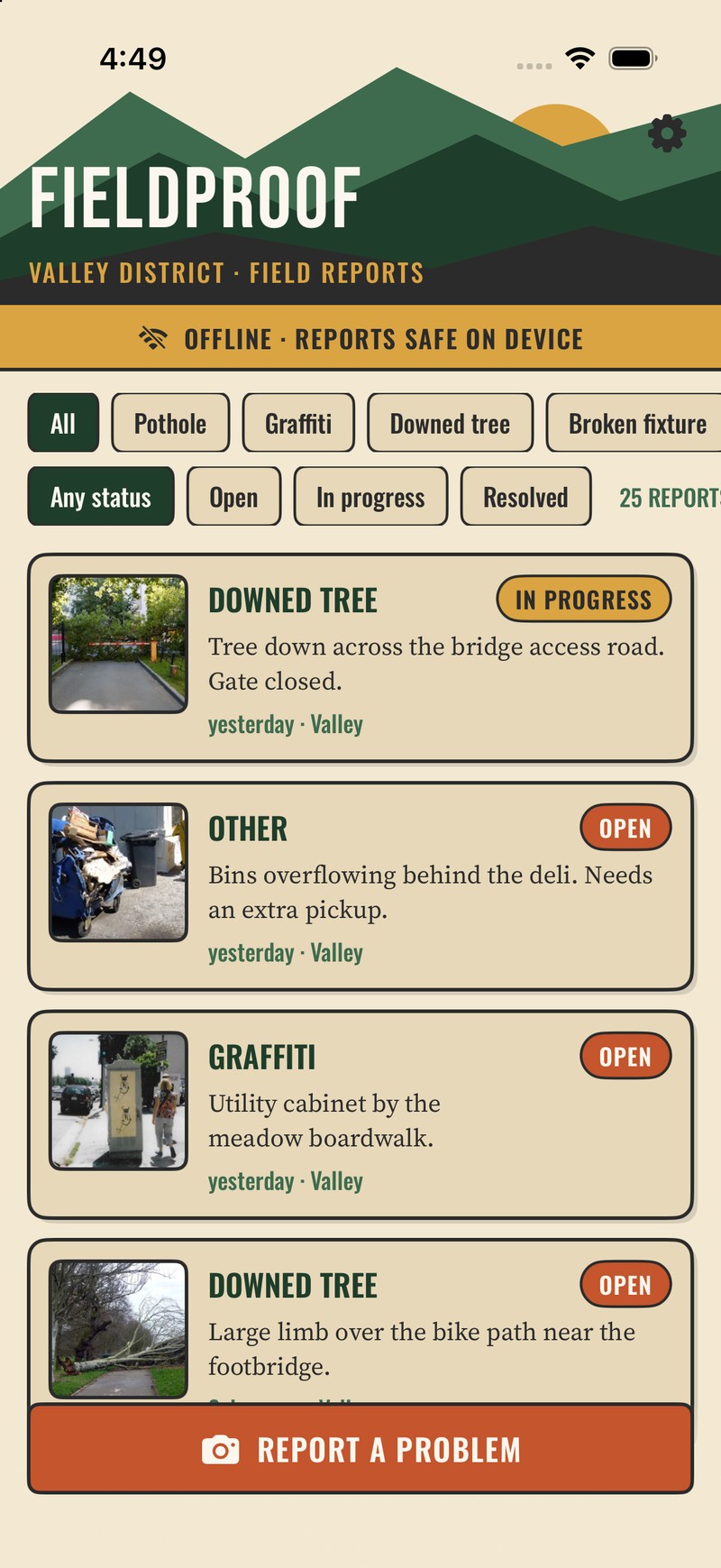
On-device AI
The moment a photograph is taken, Apple’s Vision framework classifies it, reads any text in it, and writes a 768-number fingerprint of what it shows. No API key, no invoice, no upload.
Two more run when the crew asks. Dictate the note with gloves on: speech recognition stays on the device. And the report writes its own one-line summary with Apple’s on-device language model.2
AI is supporting evidence, never a gate. If a model is missing or refuses, the report is still filed, hashed and synced.
How the on-device AI works →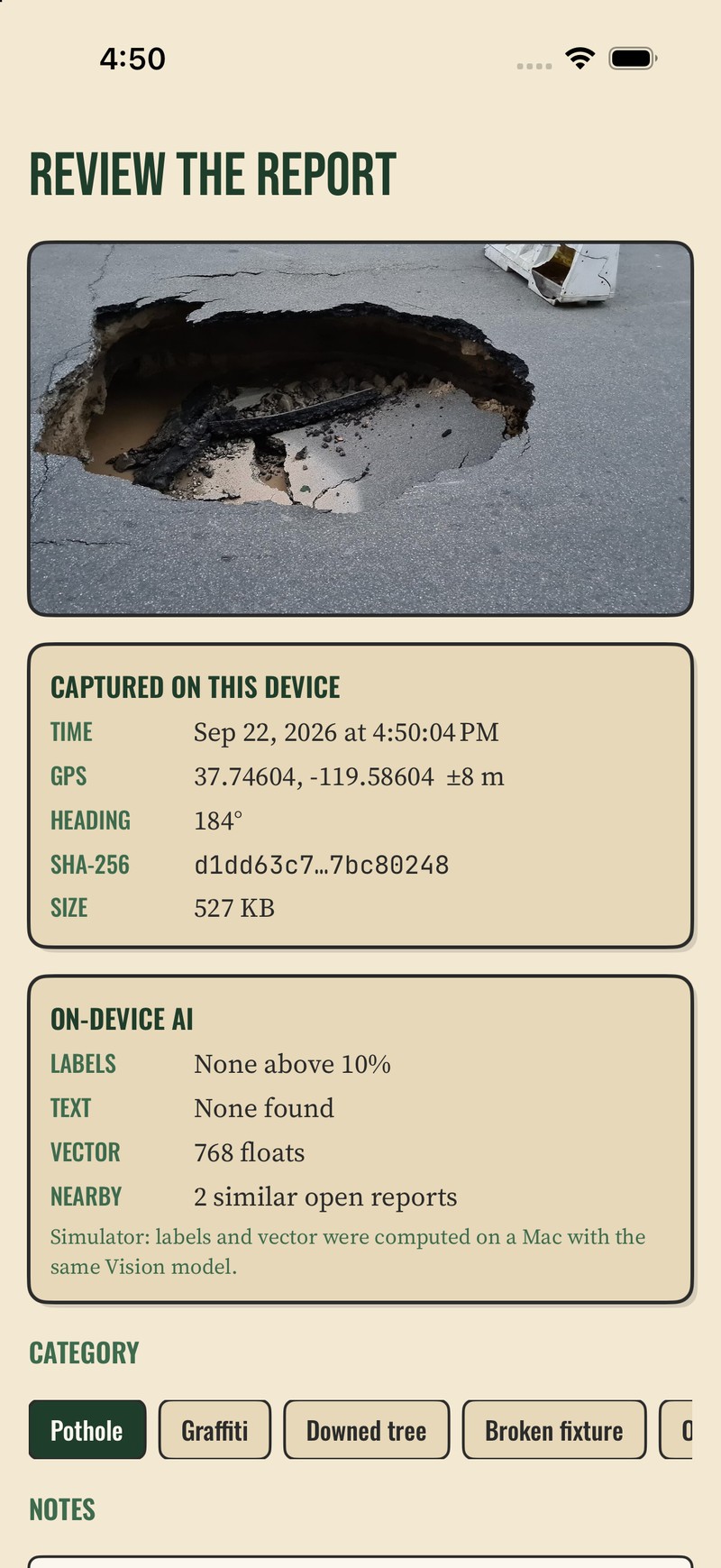
Vector search, on the device
Before the report is filed, the app has already searched every report on the phone for a photograph like this one, within 200 metres, still open. Four crews, one pothole, one work order.
The duplicate check is a query, not a service. One statement mixes a vector distance with a status filter and a map box. There is no second system to run, and nothing to pay per query.
How vector search runs on the phone →SELECT META().id, category, status,
APPROX_VECTOR_DISTANCE(embedding,
$queryVector, 'COSINE') AS distance
FROM evidence.reports
WHERE status != 'resolved'
AND location.lat BETWEEN $minLat AND $maxLat
AND location.lon BETWEEN $minLon AND $maxLon
AND APPROX_VECTOR_DISTANCE(embedding,
$queryVector, 'COSINE') < $maxDistance
ORDER BY APPROX_VECTOR_DISTANCE(embedding,
$queryVector, 'COSINE')
LIMIT $maxResultsEvidence integrity
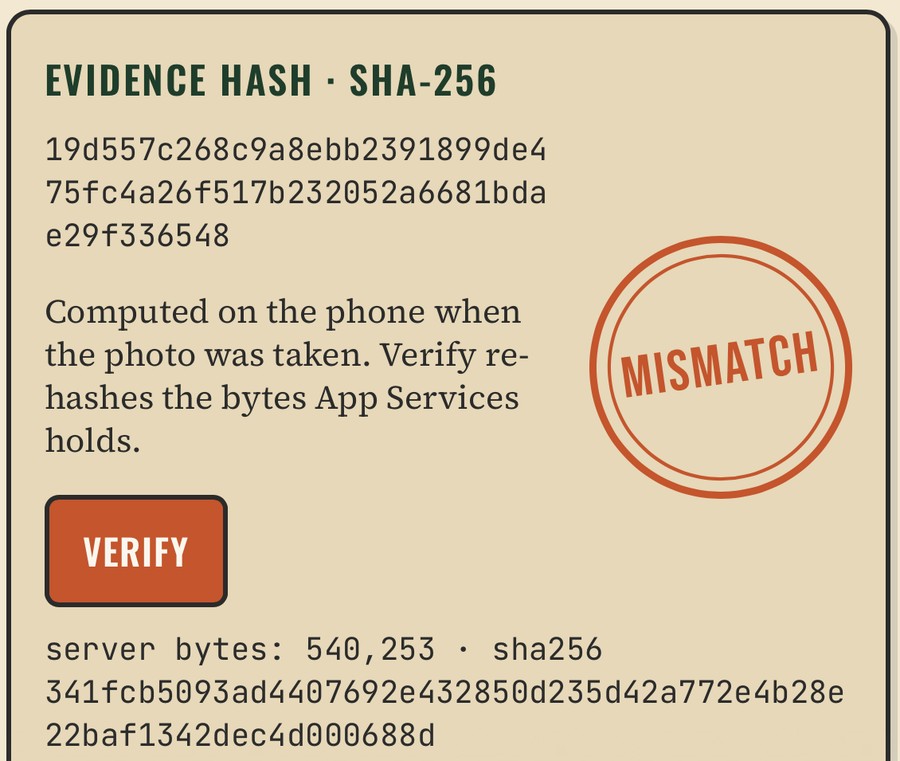
SHA-256 runs on the phone over exactly the bytes that will be stored, before anything syncs. Verify does not look up a stored answer. It re-hashes what the server holds right now.
Swap the photo with valid credentials, and Verify catches it in one click. The tampered photo even reaches the crew’s phone, and it fails there too.
What it does not prove: that the camera saw what the metadata claims. That takes a Secure Enclave signature, a small addition.
How evidence integrity works →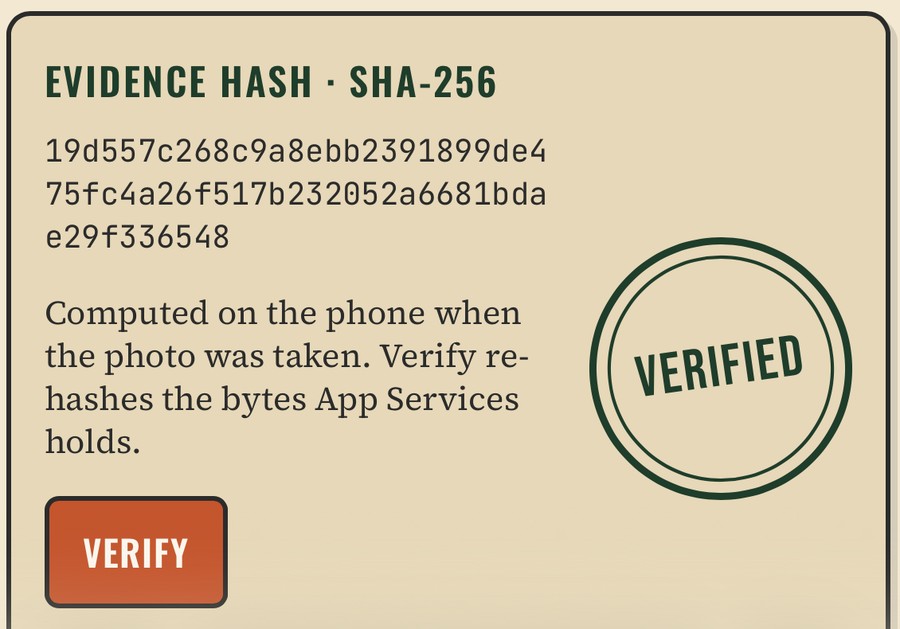
Sync with Capella App Services
A sync function validates each document, checks the writer’s access, and routes it to a district channel. The access model lives with the data, not in the app.
The other district is not filtered in the UI. It never arrives. Lose access to a channel and those documents leave the device on their own. No admin credential anywhere.
How sync and channels work →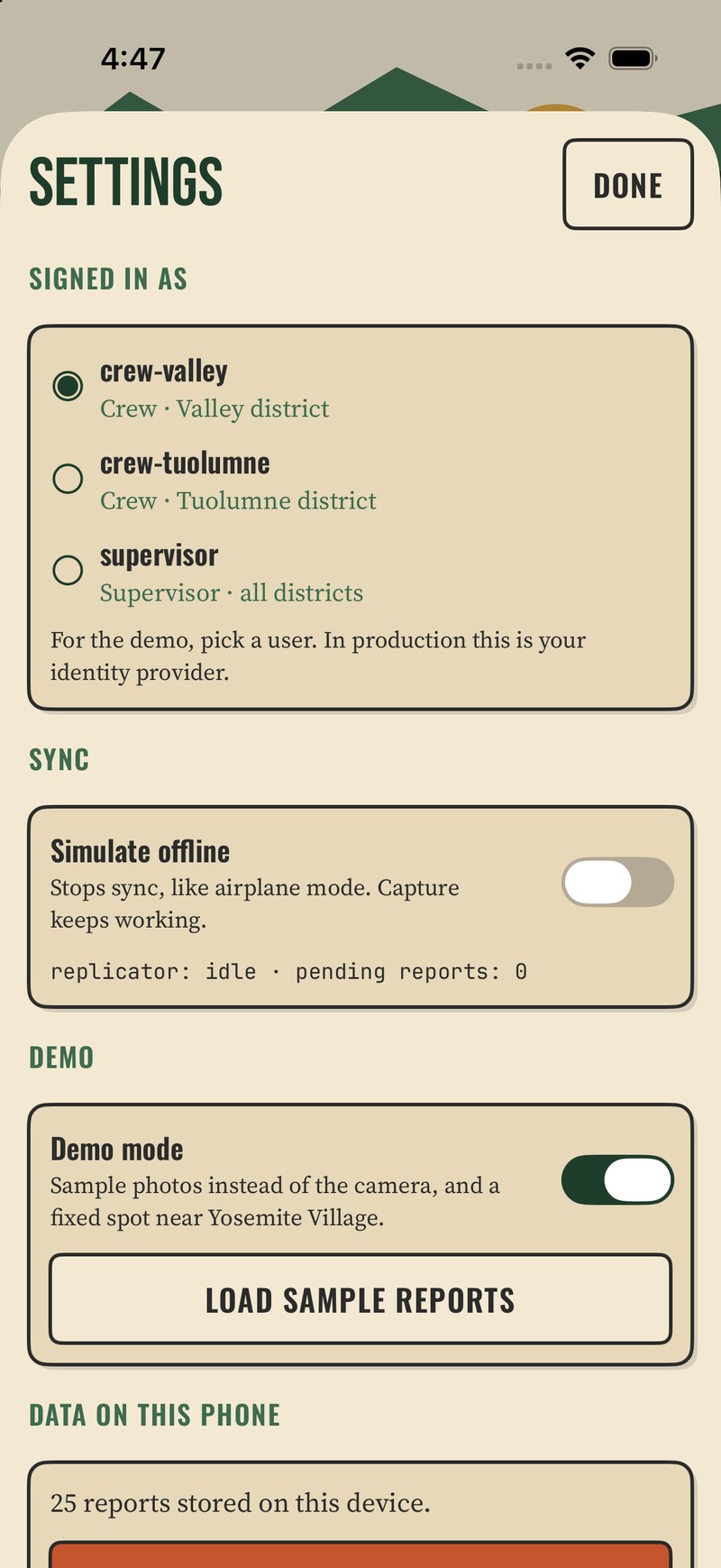
Capella and the supervisor dashboard
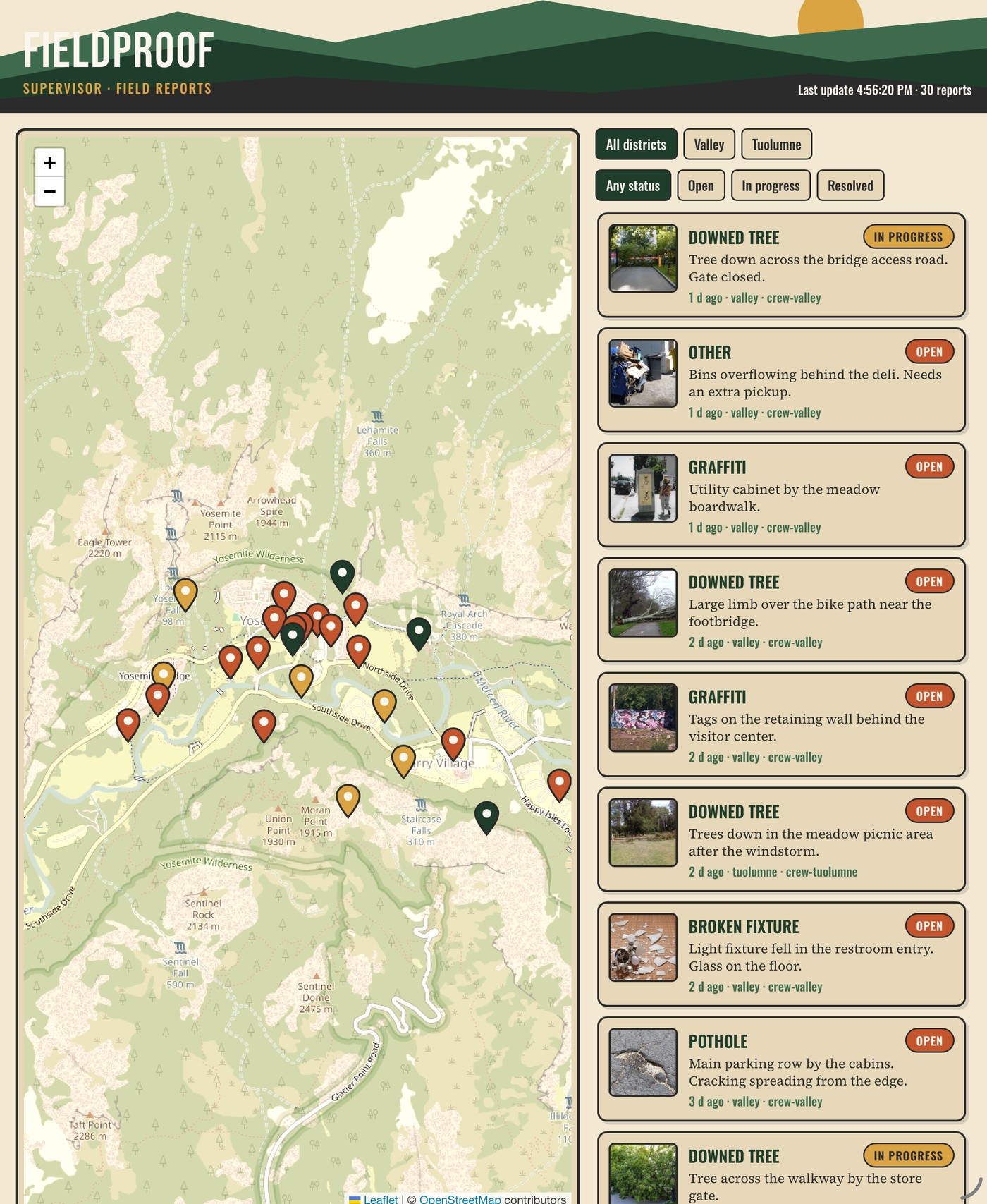
Data a phone wrote in a canyon is ordinary Capella data the moment it lands: SQL++, indexes and joins. One query draws the map. A change feed puts a new report on the supervisor’s screen with no polling.
Thirty seconds, start to finish
Offline. Pick the photograph. Three models read the scene. The review shows GPS, heading, time and the SHA-256. The duplicate check finds two open reports nearby. Attach, and the pending count goes to two.5
Why this approach, and why now
Vision, on-device speech and an on-device language model are part of the operating system now. The crew already carries the hardware that runs them, and replaces it on a cycle.
Couchbase Lite puts a vector index beside the documents, in the same embedded database. The second AI workload, “have we seen this before,” is a local index lookup, not a call to a vector service.
Every phone you add brings its own inference capacity. Two hundred crew, forty photographs a day: 8,000 inferences a day that never reach an invoice.6
Canyons, basements, tunnels and rural spans are still dark. Even with full bars, networks drop: the Wi-Fi in your own living room still does. The moment capture depends on a round trip, the app stops working where the work is.
| On the device | In the cloud | |
|---|---|---|
| Marginal cost per photo | Zero | Per-call inference, plus egress |
| Latency | 257–323 ms, predictable | Round trip, queueing, rate limits |
| Works with no signal | Yes | No. Capture cannot complete |
| Data leaving the device | The photo, later, over sync | Every photo, immediately, to a third party |
| Cost as the fleet grows | Flat | Linear in photographs |
| When a model fails | Weaker metadata. Evidence still captured | Capture blocked or queued |
Classification, text, embeddings, dictation, summaries. The duplicate search. Evidence hashing. Every read and write the app makes.
The system of record. Access control, in the sync function. The questions that span every district at once.
Inference at the edge, aggregation in the cloud. That split is the architecture, not an optimisation.
Tech specs
evidence, collections reports and photos.Free. Open source. MIT licensed.
The app, the dashboard, the sync functions, the setup and reset scripts, and an architecture note for every component. Fork it, point it at your own Capella, and run the five minutes on your own photographs.